

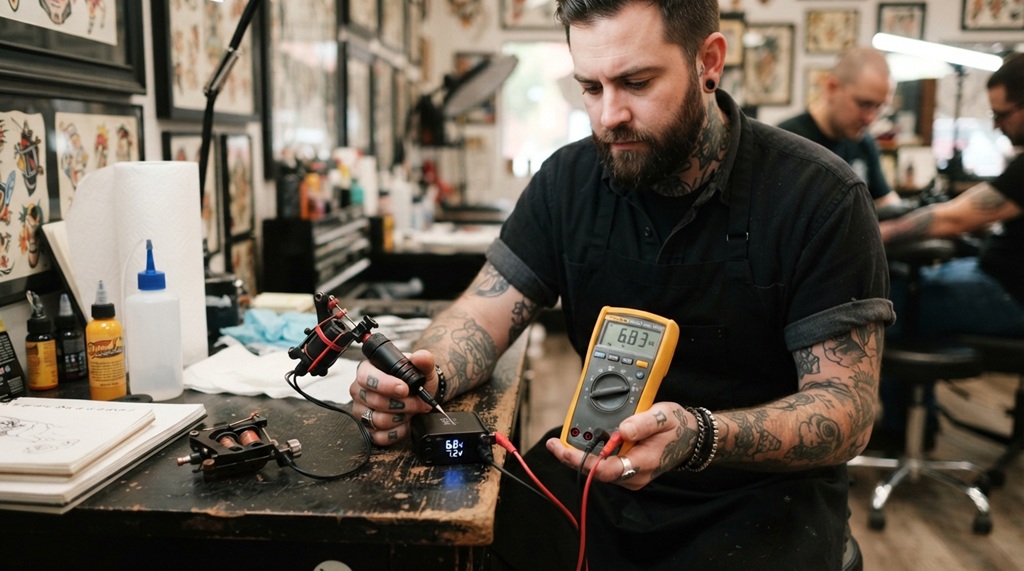

To test a wireless tattoo power supply for reliability, check its battery life, voltage stability, signal connection, and heat output before you use it on a client. These four checks catch most problems before they happen mid-session. Skipping them can mean a stalled machine, uneven lines, or a client sitting in your chair while you troubleshoot.
Wireless power supplies have changed how artists work. No cords, more freedom of movement, and a cleaner station. But that convenience comes with a trade-off: you can’t just glance at a plugged-in unit and know it’s working. A wireless battery pack can look fully charged and still fail under load. This guide walks you through practical tests you can run in your own studio, using tools you likely already own.
Whether you just bought a new pack or you’re troubleshooting one that’s been acting up, these steps will help you catch issues early.
Why Reliability Testing Matters for Wireless Power Supplies
A wireless power supply that fails mid-tattoo isn’t just annoying. It can ruin linework, extend session time, and damage your reputation with a client. Unlike corded machines, wireless units rely on an internal battery and wireless signal, both of which can degrade without obvious warning signs.
Battery cells naturally lose capacity over time. According to industry experts, lithium-ion batteries used in most wireless tattoo packs typically lose noticeable capacity after a few hundred charge cycles. That means a pack that worked perfectly a year ago might now struggle to hold voltage steady through a three-hour session.
Testing isn’t just for troubleshooting an existing problem. Artists who test new equipment before their first real session avoid a lot of surprises. A quick 15-minute check can save hours of frustration later.
Battery Health and Charge Cycle
Battery health directly dictates wireless power supply reliability, as an aging or degraded battery often causes critical voltage drops under heavy load despite displaying a full charge. Before evaluating your battery’s performance or conducting multimeter power tests, it is essential to sanitize your entire workstation and hardware refer to our guide on how to sterilize tattoo grips safely and effectively to maintain a sterile, cross-contamination-free environment throughout your equipment checks.
How to Check Battery Capacity
Charge the unit fully, then run your machine at your normal working voltage for at least 30 minutes without a break. Watch for any drop in performance, such as the needle slowing down or the machine hesitating. If you notice this happening earlier than it used to, the battery is likely degrading.
Some higher-end wireless packs include a companion app or onboard display that shows charge cycles or battery health percentage. Check this if your unit has it. A battery health reading below 80% is a signal that replacement may be needed soon.
Signs of a Failing Battery
Watch for these common warning signs during regular use:
- The pack drains faster than it used to, even with the same settings
- The unit gets warm faster than normal during use
- Performance dips noticeably after the battery display shows 50% or lower
- The pack won’t hold a charge overnight when fully charged
If you notice two or more of these signs, it’s worth testing the battery in isolation before your next client session.
Test Voltage Stability Under Load
A power supply might show the correct voltage when idle, but that number can shift once your machine starts drawing current. This is called voltage sag, and it’s one of the most common causes of inconsistent line work.
To test this, use a multimeter if you have one. Set your wireless pack to your normal working voltage, then connect it to your machine and run it continuously for two to three minutes. Measure the voltage at the connection point while the machine is running, not while it’s idle. A drop of more than 0.5 volts under load suggests the pack isn’t delivering stable power.
If you don’t have a multimeter, you can still get a rough sense of stability by paying attention to your machine’s sound and speed. A consistent hum and steady needle speed usually mean stable voltage. Sputtering, slowing, or a change in pitch during use often points to voltage inconsistency.
Test this at a few different voltage settings, not just one. Some packs perform fine at lower voltages but sag noticeably once you push them higher, which matters if you regularly switch between lining and shading.
Verify Wireless Signal Stability
Wireless power supplies communicate with your machine or foot pedal through a wireless signal, usually Bluetooth or a proprietary RF connection. If that signal drops even briefly, your machine can stutter or stop entirely.
Test signal stability by moving through your normal working positions while the machine is running. Lean forward, turn your body, and move your arm the way you would during an actual tattoo. If the machine cuts out or hesitates during any of these movements, the signal connection may be unreliable at that distance or angle.
Other wireless devices in your studio can interfere with the signal too. Phones, other tattoo equipment, and even microwaves can cause interference in some cases. If you’re experiencing random dropouts, try testing with other wireless devices turned off nearby to see if the problem goes away.
Check the manufacturer’s stated wireless range and stay well within it during actual use. Testing at the edge of that range regularly can wear on the connection reliability over time.
Monitor Heat Output During Extended Use
Excessive heat is often an early warning sign of a failing power supply. Some warmth during use is normal, but a pack that becomes hot to the touch after 20-30 minutes may have an internal issue.
Run your machine continuously for the length of a typical session, and check the temperature of the pack every 15 minutes or so. You can do this by hand, carefully, or with an infrared thermometer if you have one available. A pack that goes from warm to noticeably hot in a short window is worth having checked or replaced.
Heat buildup usually comes from one of two causes: an aging battery working harder to maintain voltage, or a fault in the internal circuitry. Either way, continuing to use an overheating pack increases the risk of sudden failure during a client session, and in rare cases, can pose a safety concern.
Run a Real-World Session Simulation
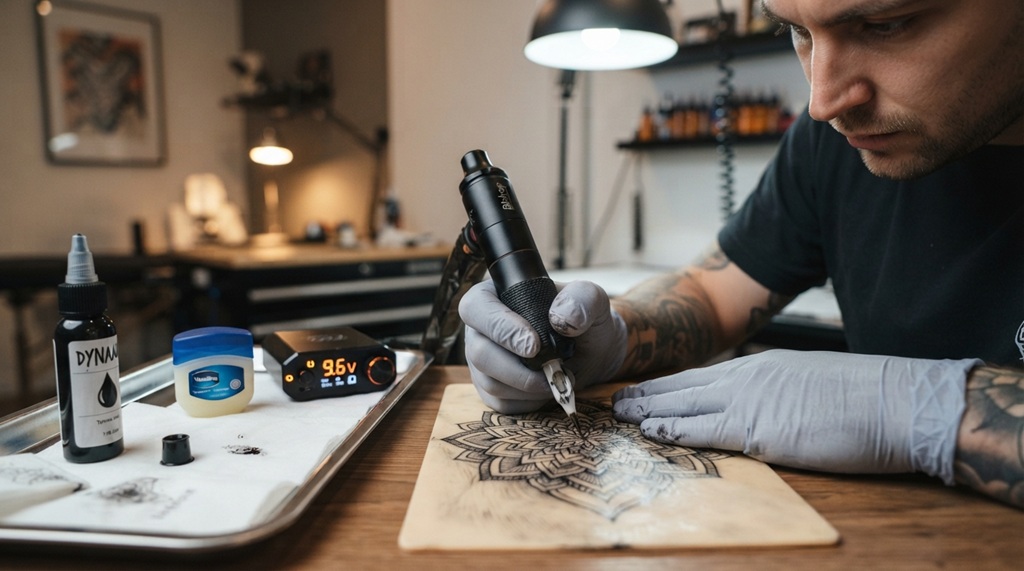
The most reliable test is simply running your equipment the way you actually use it. Lab-style tests are useful, but nothing replaces a full simulated session under real working conditions.
Set up your station as you normally would for a client. Run your machine continuously for the length of a typical appointment, ideally two hours or more, while working on synthetic skin or a practice pad. Pay attention to consistency in needle speed, any unexpected shutoffs, and how the pack performs as the battery drains from full to low.
This test matters because problems often show up only after sustained use, not in the first five minutes. A pack can perform perfectly for a quick 20-minute test and still fail during hour two of a longer piece. If you tattoo mostly larger pieces, weight this test more heavily than a quick spot-check.
Keep a Simple Testing Log
One thing many artists overlook is tracking results over time. A single test tells you how the pack performs today. A log tells you whether it’s getting worse.
Keep a simple note, even just in your phone, with the date, the voltage you tested at, how long the session simulation ran, and anything unusual you noticed. After a few months of entries, patterns become obvious. A battery that held steady for two hours in January but only lasts 90 minutes by June is clearly declining, and you’ll have actual data instead of a vague feeling that “something’s off.”
This habit takes less than a minute after each test, and it turns guesswork into an early warning system for your equipment.
Frequently Asked Questions
How often should I test my wireless tattoo power supply?
Test a new unit before its first real client session, then check battery performance and voltage stability roughly once a month with regular use. If you notice any warning signs like faster draining or overheating, test immediately rather than waiting for your next scheduled check.
Can I test voltage stability without a multimeter?
Yes, though it’s less precise. Listen for changes in your machine’s sound and watch for shifts in needle speed under load. A cheap multimeter is a worthwhile investment if you rely on your wireless pack regularly, since it gives you an exact number instead of a guess.
Why does my wireless power supply work fine at low voltage but fail at higher settings?
This usually points to an aging battery or a pack that wasn’t designed for sustained high-voltage output. As batteries degrade, they struggle more to maintain stable voltage when demand increases. If this happens consistently, it’s a sign the battery may need replacing soon.
How long should a wireless tattoo battery last during a session?
Most quality wireless packs are built to last a full session, typically two to four hours, on a single charge. If yours is falling well short of the manufacturer’s stated runtime, that’s a clear signal the battery has degraded and should be tested or replaced.
Is it normal for a wireless power supply to get warm during use?
Mild warmth during extended use is normal. Concerning heat is different: if the unit becomes hot to the touch within 20-30 minutes, or noticeably hotter than it used to, that suggests an internal issue worth investigating before your next session.
Conclusion
Testing a wireless tattoo power supply doesn’t require expensive equipment or technical expertise. A simple routine covering battery health, voltage stability, signal strength, and heat output will catch most reliability issues before they affect a client session. Run these checks on new equipment, repeat them monthly, and keep a basic log so you can spot decline early. A few minutes of testing now can save you from a much bigger problem in the chair later.